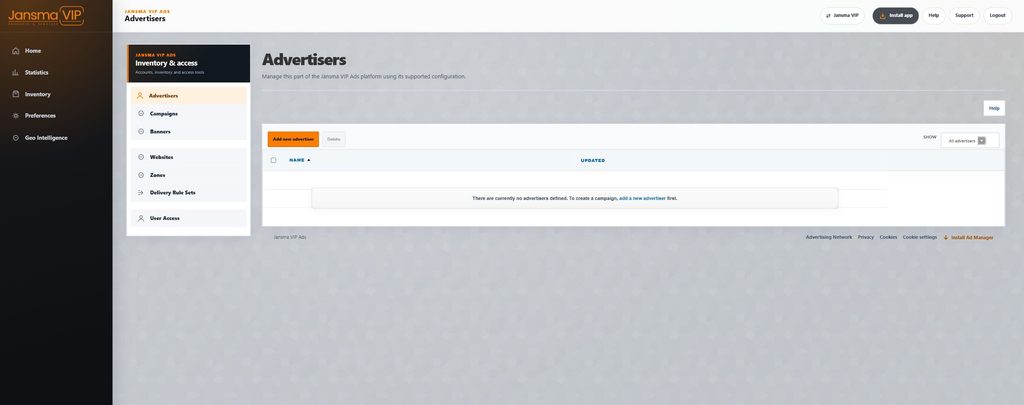
An advertiser groups the campaigns, contacts and reporting that belong to one organisation or brand. Create an advertiser before creating its first campaign.
Create an advertiser #
- Open Inventory and select Advertisers.
- Select Add new advertiser.
- Enter a clear name that remains recognisable in reports.
- Add only the contact and notification information required for your workflow.
- Save, then confirm that the advertiser appears in the list.
Edit an advertiser #
Open the advertiser from the Inventory list, update the required fields and save. Renaming an advertiser changes how it appears throughout the workspace, so use consistent naming conventions and notify collaborators when the meaning changes.
Good practice #
- Use one advertiser per accountable organisation or reporting unit.
- Avoid placing unrelated brands under one advertiser purely for convenience.
- Do not enter passwords, payment details or unnecessary personal information in notes.
- Review access when a team member or external partner changes role.
Deleting or restructuring active inventory can affect reporting continuity. Prefer careful updates and contact Jansma VIP Support before making a structural change you cannot reverse confidently.